Product XML
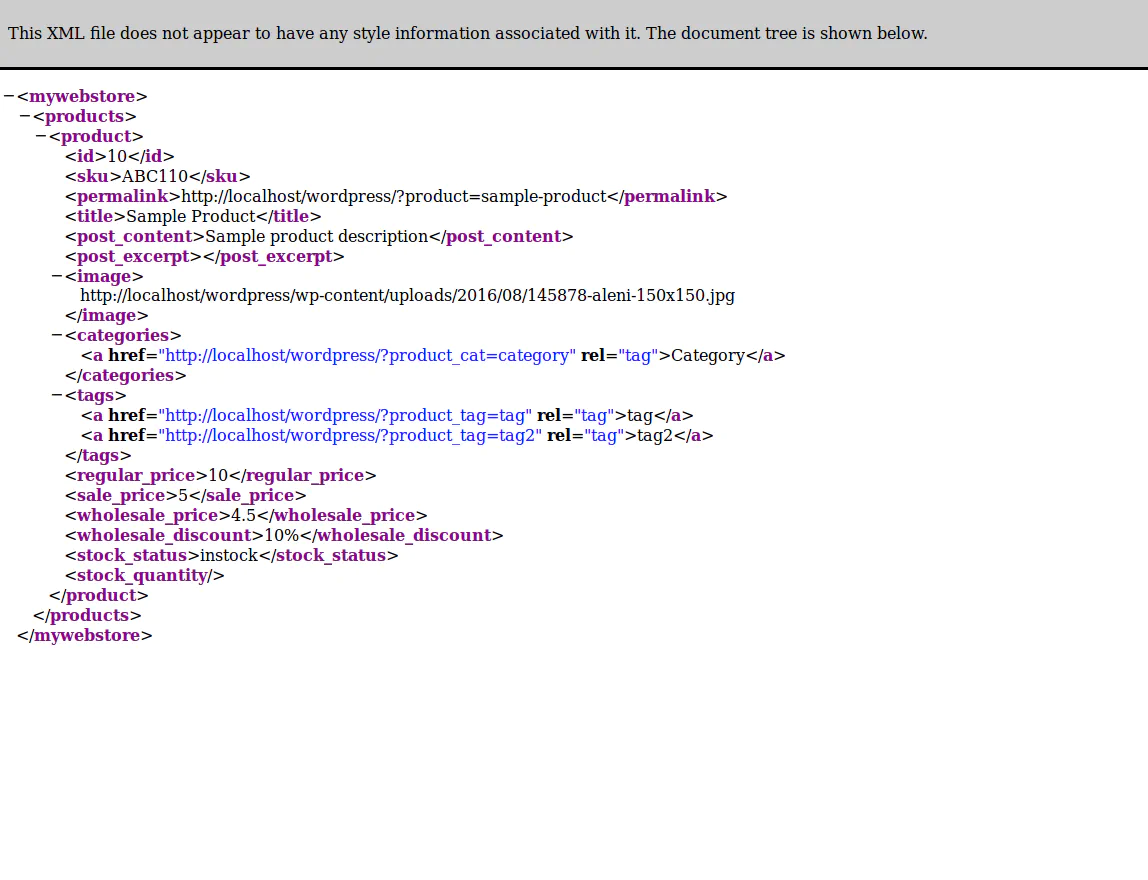
Plugin adds an XML feed with products to your webshop (WooCommerce) — with title, description, image, categories, tags, regular/sale/wholesale prices and the ability to configure a wholesale discount.
Contributors: miamibc · Tags: woocommerce, products, xml · Requires at least: 4.0 · Tested up to: 4.5.3 · License: GPLv2 or later
Features
- The plugin is absolutely free and always will be, donations very welcome.
- No advertisements, clean and handy.
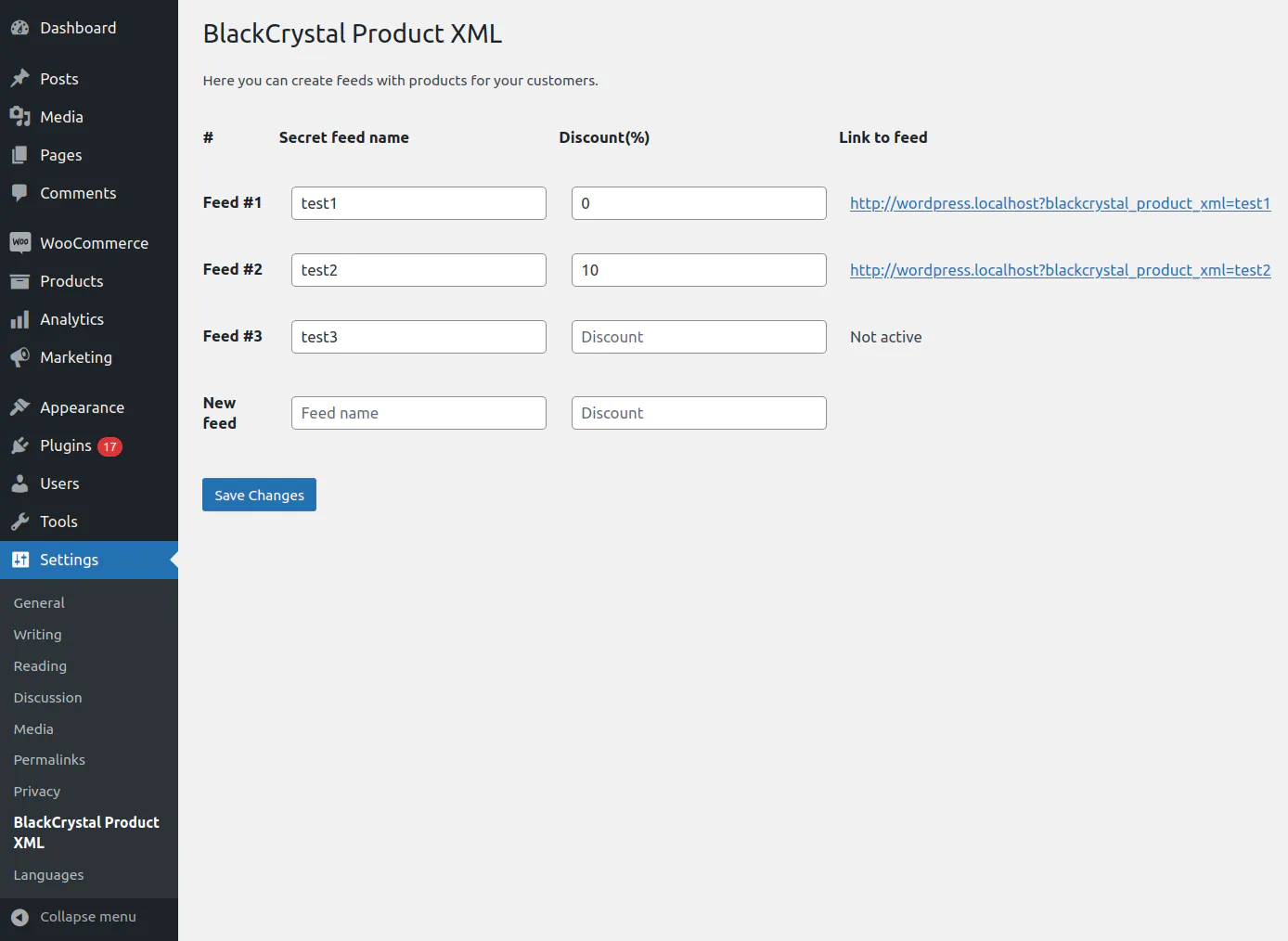
- Easy interface to manage feeds. You can add an unlimited number of feeds with a wholesale discount for each feed.
- No special requirements — a working WordPress with WooCommerce is enough.
More
- We made it, because all similar plugins are slow and buggy;
- We made it, because it’s simple and we can do it;
- We made it, to show what we can — a perfectly fast and useful piece of code;
- We made it, to learn something new — yeah, WordPress always makes me learn something new;
- «Show what you can. Learn what you don’t.» — BlackCrystal, 1999.
Installation
- Upload the plugin files to the
/wp-content/plugins/blackcrystal-product-xmldirectory, or install the plugin through the WordPress plugins screen directly. - Activate the plugin through the Plugins screen in WordPress.
- Use Settings → BlackCrystal Product XML to configure the plugin.
- Type the feed name and discount, click Save.
- Send the link of the new feed to your partner.
Frequently Asked Questions
I don’t see the link to a feed. Both name and discount boxes must be filled, and discount must be a number.
I don’t see some products in the feed. Only products with status published, with a price and marked instock are added to the feed.
How to remove a feed. Clear the name and discount boxes of the feed you want to remove and click Save.
Screenshots
Changelog
- 1.1 — added support of wholesale price from WooCommerce Wholesale Prices
- 1.0 — initial version